Setting up a Omada Central Essentials Controller
Purpose:
To show how to set up a Omada Central Essentials Controller (Free Cloud Controller).
Pre-requisites:
Have a TP-Link Omada account set up.
How to set the Controller up:
Step 1: Log In
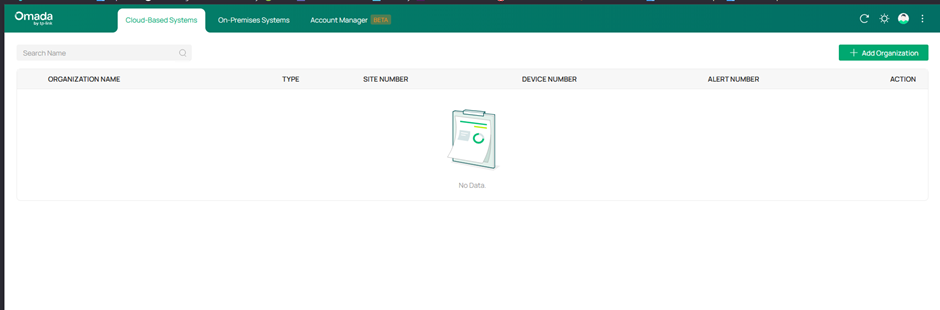
Log into your Omada Account and make sure you are on the tab that says Cloud-Based Systems.
Step 2: Add Organization
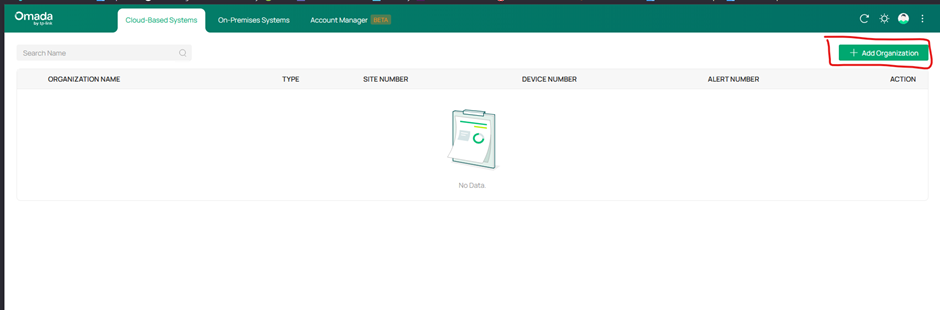
Click on the + Add Organization Button on the right hand side.
Step 3: Select Controller Type
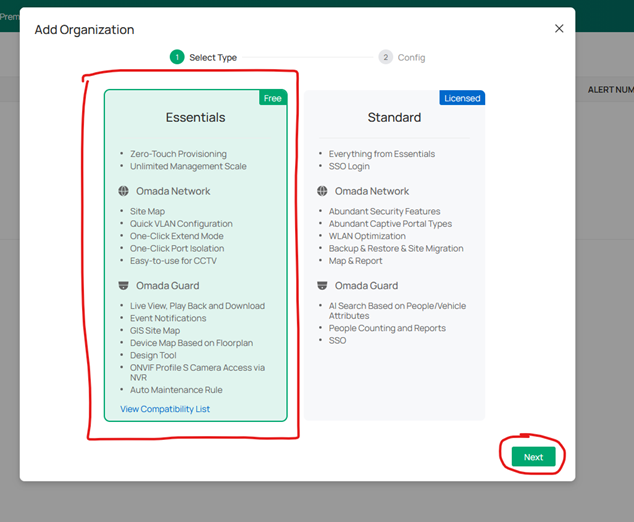
A menu will then pop up with the 2 versions of cloud controller you can choose from. For this guide we will select Essentials. This is the free version of the cloud controller which has less features than the paid for version. Make sure Essentials is highlighted in green and click the next button.
Step 4: Add Organization details & Select Applications
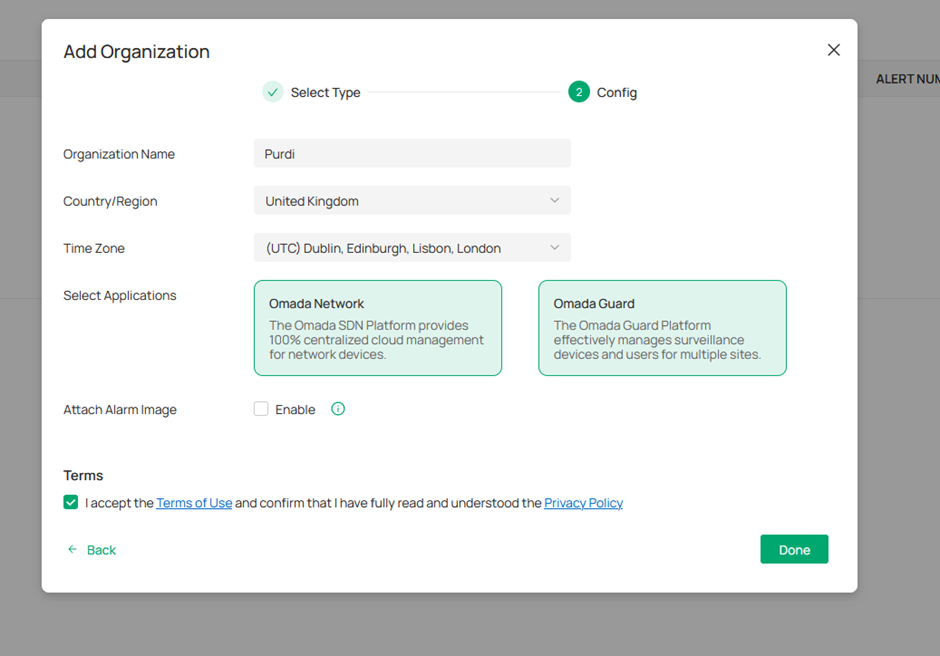
Fill out the boxes on the next page. You will need to input your Organization Name, the Country/Region the Organization is in. Select the appropriate time Zone. You will then need to select which Applications you require as part of your Omada Controller.
There are 2 options here: Omada Network (For Managing Omada APs, Switches and Gateways) and Omada Guard (For Managing VIGI Devices – NVRs and CCTV Cameras).
If you want both make sure both are highlighted green. If you only require one, then click to deselect. Any Application highlighted in green is what will be set up.
Tick to accept the Terms of use and then click the Done Button.
Step 5: Organization Created
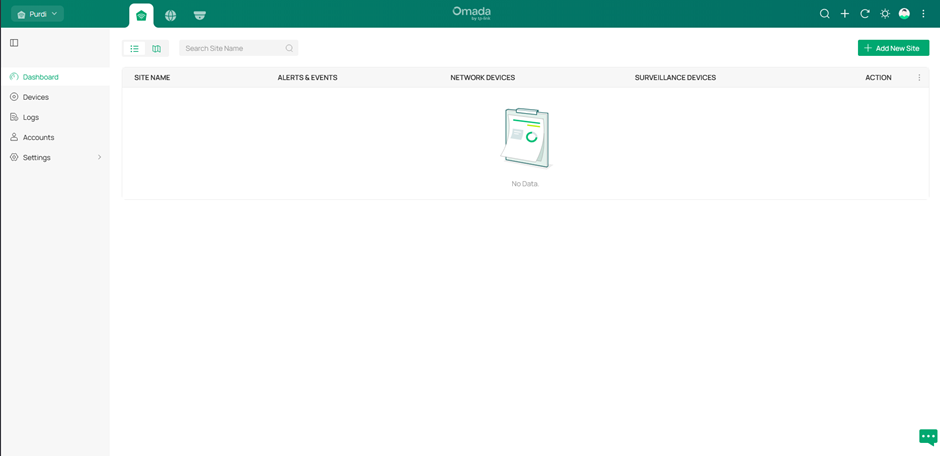
Your Organization will then be created, and you will be presented with the Global view, Omada Central Plane. Here you can globally view Sites, Devices and Logs for both Network & Guard.
Step 6: Dashboard Icons
Along the top you will find 3 icons. The First is for the Global View (Omada Central Plane). The Second is the icon for the Network Controller and the third is for Omada Guard for managing CCTV. Click into the one you need to manage sites and devices for either Network or Guard or Globally for both.

You have now set up your Cloud Omada Central Essentials Controller.
Guide Created: Jan 2026