
WatchGuard - Migrating a Locally Managed Firebox to Cloud Management
A locally managed Firebox can be moved to cloud management so it can be configured and deployed from WatchGuard Cloud instead of Policy Manager or Fireware Web UI.
How to configure:
Before starting, save a copy of the Firebox configuration and store it somewhere local. You can save it from Policy Manager or download it from Fireware Web UI.
Step 1:
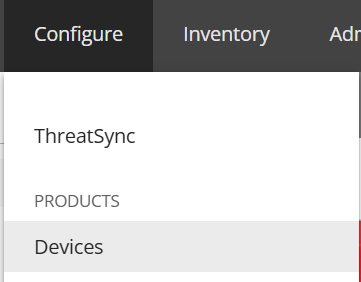
In WatchGuard Cloud, go to "Configure" and then select "Devices". Select the Firebox you want to migrate.
Step 2:
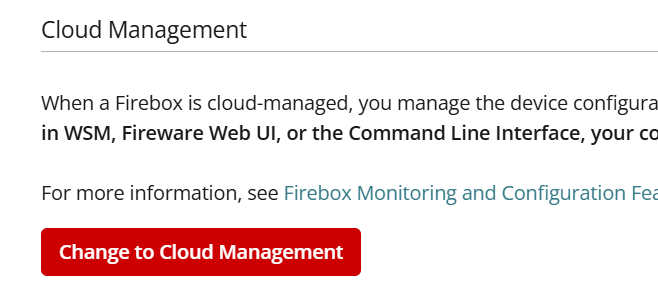
In the "Cloud Management" section, select "Change to Cloud Management".
Step 3:
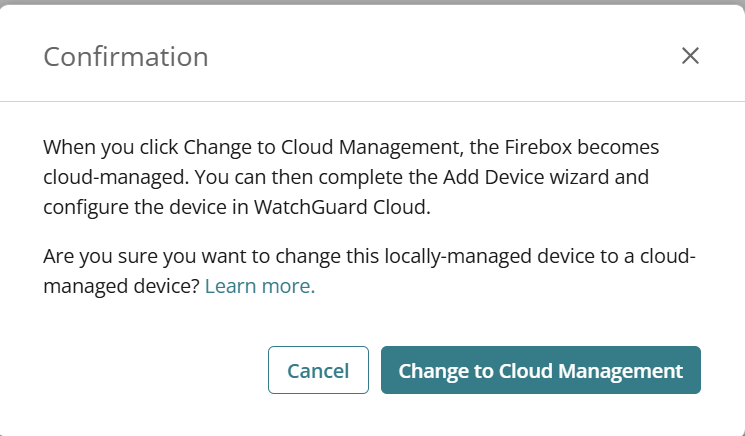
A confirmation message will appear. Select "Change to Cloud Management" to confirm.
Step 4:
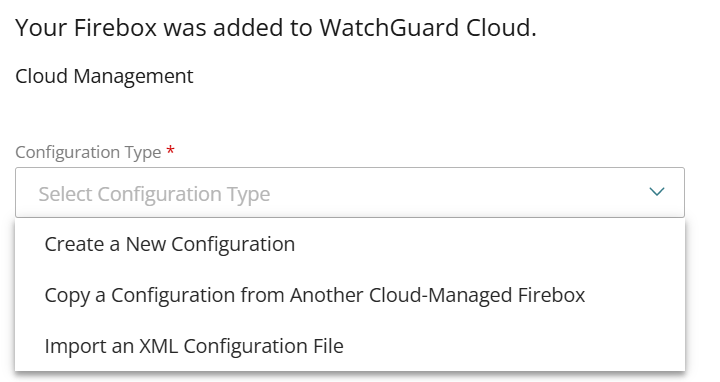
From the "Configuration Type" drop-down, choose one of these options:
Create a New Configuration
Copy a Configuration from Another Cloud-Managed Firebox
Import an XML Configuration File
Step 5:
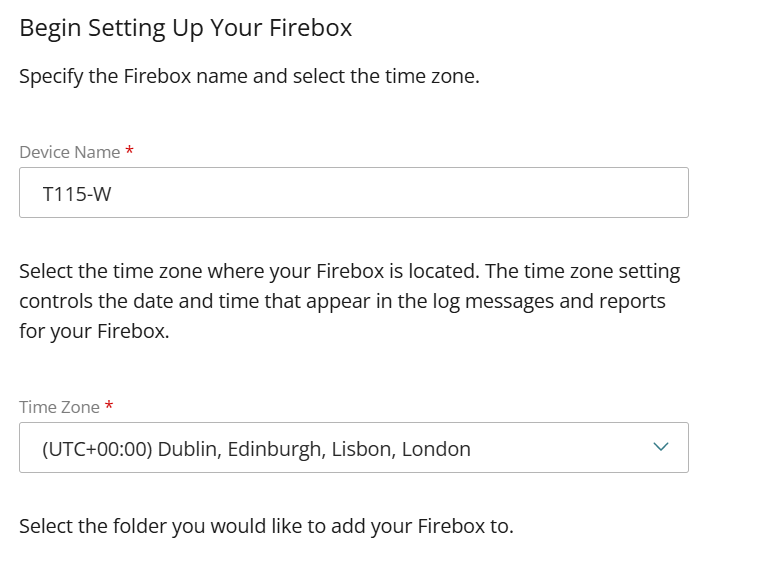
Enter a name for the Firebox, select its time zone, then select the folder you want to add it to.
Step 6:
What you do next depends on the option you chose in Step 4.
Create a New Configuration
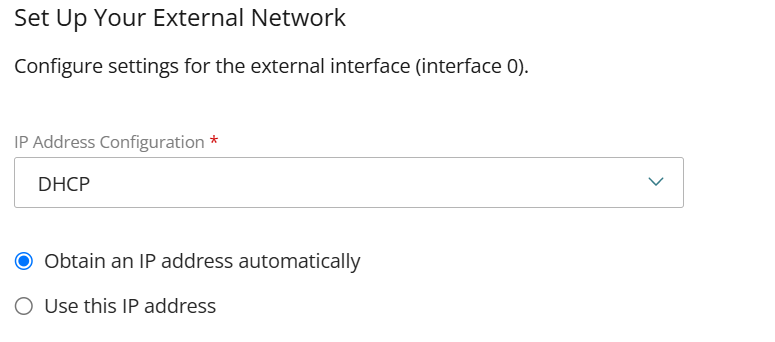
Set up the external interface (interface 0). Choose "DHCP" to get an IP address automatically, or choose "Use this IP address" and enter a static address.
Copy a Configuration from Another Cloud-Managed Firebox
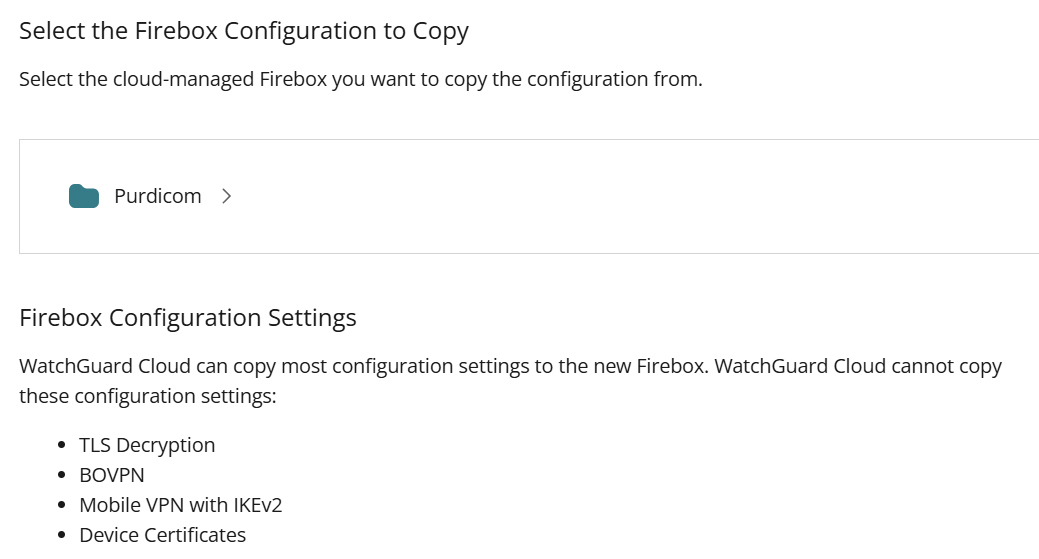
Select the Firebox you want to copy the configuration from. WatchGuard Cloud can't copy TLS Decryption, BOVPN, Mobile VPN with IKEv2 or Device Certificates, so you'll need to set these up again.
Import an XML Configuration File
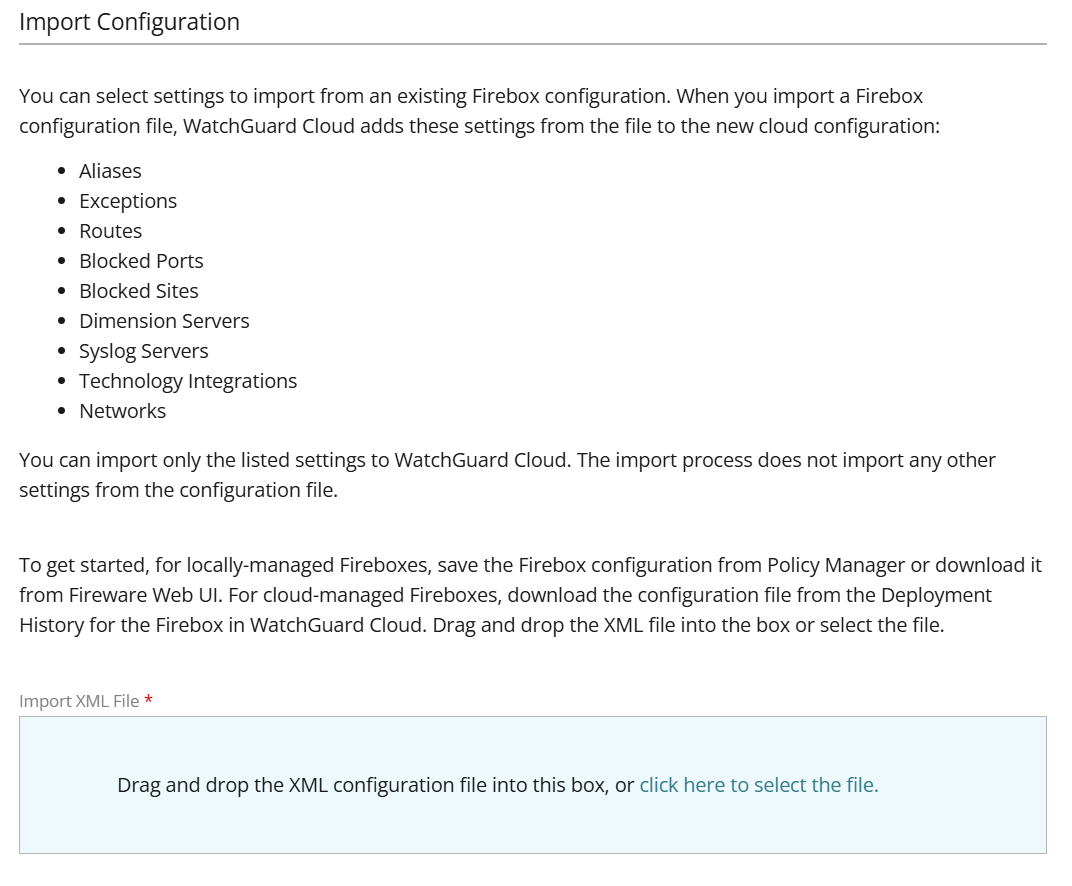
This option appears after you've set the device name and passwords. Drag and drop the XML file you saved earlier into the box, or select "click here to select the file". Only some settings are imported, such as aliases, routes and networks. The screen shows the full list.
Step 7:
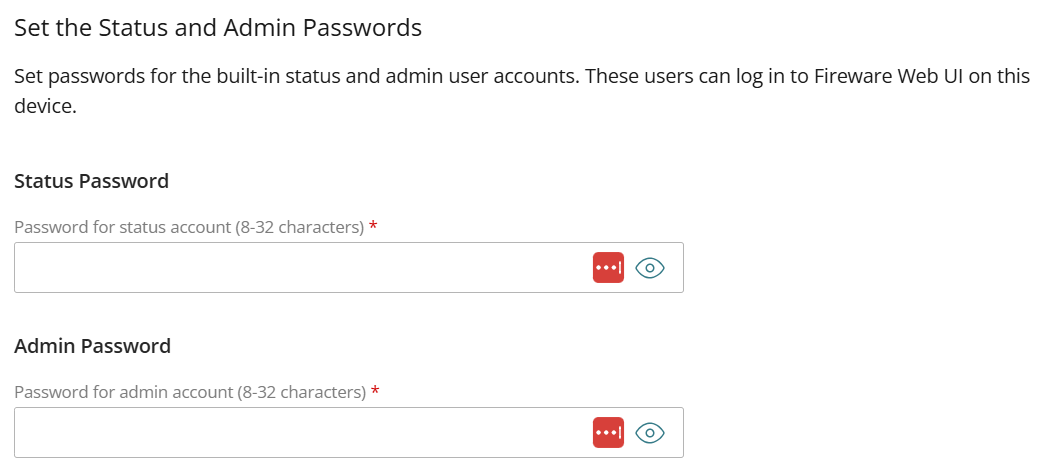
Set passwords for the built-in status and admin accounts. Each password must be 8–32 characters, and the two accounts can't share the same password.
Step 8:
Once the device has been added, you can make any changes you need to its configuration. When you're ready, select "Schedule Deployment" in the banner at the bottom of the page. You can then deploy the configuration straight away or schedule it for later.

The Firebox is now cloud managed, and any future configuration changes should be made in WatchGuard Cloud.